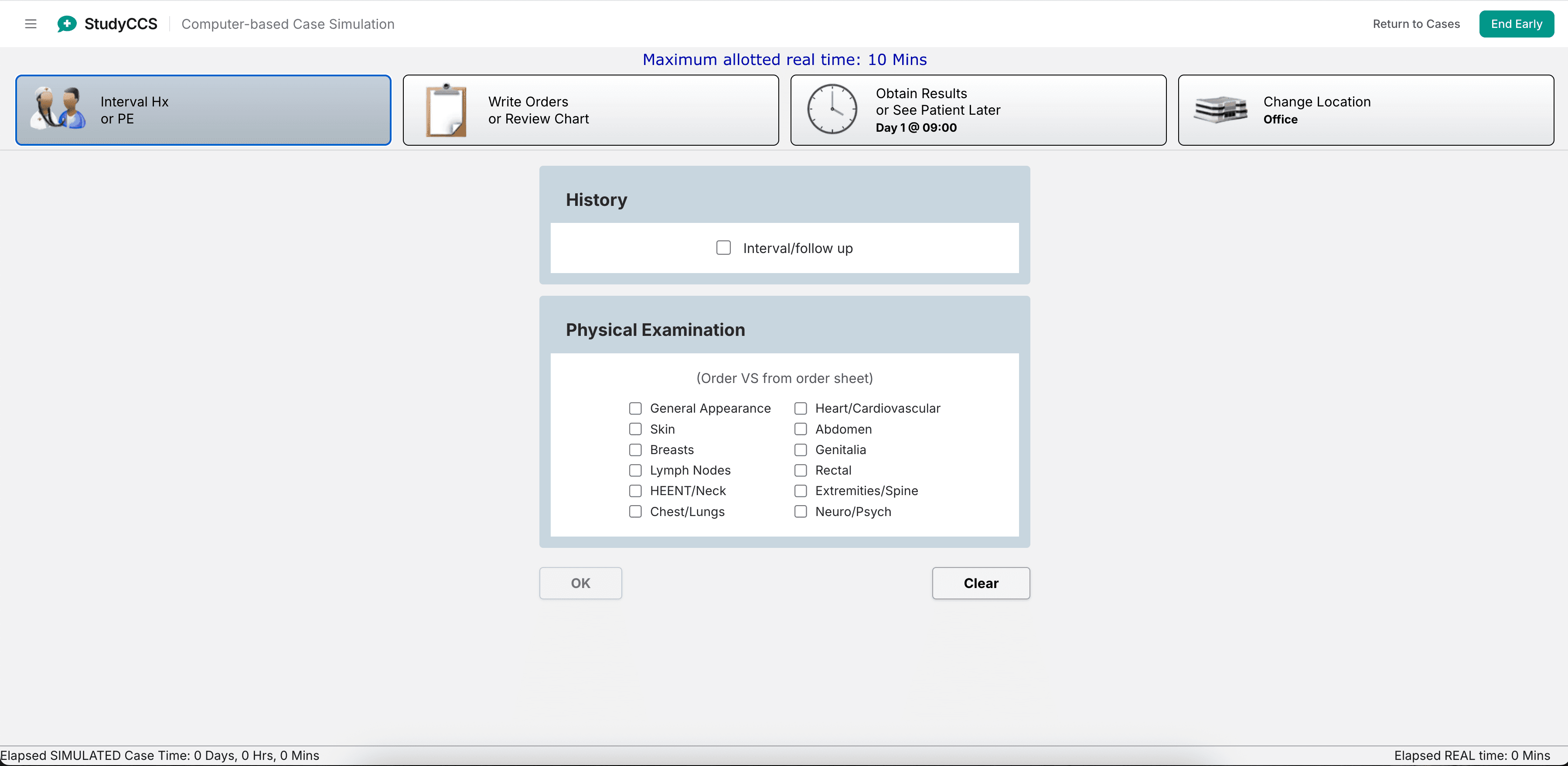
If you are trying to decide whether a Step 3 CCS simulator is worth your time, the question that actually matters is narrower than "is it good." It is whether the tool makes you practice the same skills the real software demands: typing orders into a blank field from memory, deciding when to advance the clock, and getting no feedback until the case is over.
A tool that gives you a list of orders to click is a quiz about management. The real thing is a blank order sheet and a clock. Those are different skills, and only one of them is being tested on day two. Below are the seven criteria that separate practice software that transfers to the exam from practice software that feels productive and does not. StudyCCS is our own product, and we build against these criteria — but they are written so you can apply them to anything, including us.
The seven criteria that matter
| Criterion | What transfers to the exam | What does not |
|---|---|---|
| Order entry | Free-text field; you type the order name from memory | Multiple choice, or a menu you browse |
| Clock | You advance time; the patient's state changes as a result | Static vignette with no time dimension |
| Feedback timing | After the case ends | Immediately after each order, telling you right or wrong |
| Branching | What you order changes what happens next | A fixed script regardless of your decisions |
| Location and disposition | You choose and change the patient's setting | Setting is fixed or implied |
| Interim updates | New vitals and history arrive as the clock moves | All information given up front |
| Scoring explanation | Tells you which decisions earned or lost credit, and why | A raw percentage with no reasoning |
Criterion 1: Free-text order entry
This is the single biggest divider, and it is the one students most consistently underestimate. On the real software you type into a blank field, and the name you type has to be one the system recognizes. Recognition and recall are not the same skill: you can know that a patient with suspected pulmonary embolism needs anticoagulation and still lose time hunting for the term the interface accepts.
If a practice tool shows you options, you will never discover which order names you cannot produce from memory. Test it directly: open a case and try to order something you have not practiced. If you were offered a list, the tool is not training this.
Criterion 2: A clock you have to manage
Advancing time is a decision with consequences. Advance too little and the diagnostic study you ordered has not returned. Advance too much and the patient you should have treated at minute ten deteriorates. A tool without a clock cannot teach the pacing judgment that most distinguishes comfortable candidates from anxious ones.
What to look for: can you advance the clock by your own choice of interval, and does the patient's condition actually evolve when you do? If time only moves when you finish a step, you are practicing a checklist.
Criterion 3: Delayed feedback
This one feels worse and is better for you. Immediate per-order feedback is pleasant and teaches you to lean on the tool: you order something, it tells you that was wrong, you adjust. On the exam nothing tells you anything. You commit to a plan and live with it.
Practice with immediate correction builds a habit you cannot use on test day. Look for tools that let the case run to completion and then explain what happened.
Criterion 4: Real branching
If two different management approaches produce the same case, the case is a story with your orders typed on top of it. Branching is what makes a wrong sequence feel wrong — the hypotensive patient you imaged before resuscitating should be worse when you come back, not identical.
Test it by running one case twice, deliberately badly the second time. If nothing changes, the tool cannot teach consequence.
Criterion 5 through 7: Location, updates, and scoring you can learn from
The remaining three are quicker to check but worth confirming. You should be choosing where the patient goes and be able to move them, because level of care is a scored decision in its own right. Interim updates should arrive as the clock advances rather than all at the start, since triaging new information mid-case is part of the work. And the scoring at the end should name the decisions that mattered, not just hand you a number — a score without reasoning tells you how you did and not what to change.
Who should pick what
Honest version, including when you do not need a paid tool at all:
- If you have not seen the exam interface at all: start with the official practice materials from the USMLE program. They use the real software, they are free, and no third-party tool substitutes for seeing the genuine interface at least once. Do this first regardless of what else you buy.
- If you are comfortable with the interface but slow at producing orders: you need volume and a blank order field, not more explanation. Prioritize free-text entry and a large case library over polish.
- If your written question scores are strong but management sequencing is your weakness: prioritize branching and end-of-case scoring that explains reasoning. Your gap is decision order, and only consequence teaches that.
- If you are short on time before the exam: do not buy a large library you cannot finish. A handful of cases worked through carefully, with a real review of each, beats forty rushed ones.
- If cost is the constraint: the official free materials plus deliberate practice typing order names will get you further than most people assume. Add a paid tool only for the branching and volume you cannot get free.
We built StudyCCS against the criteria above, and you can check it against them yourself without paying: run a free practice case and see whether the order field is blank, whether the clock is yours to move, and whether the feedback waits until the end. If you want to see the interface mechanics first, the simulator tutorial walks through them, and our software walkthrough covers what the real exam interface looks like.
Frequently asked questions
Do I need a simulator at all, or is a question bank enough?
A question bank trains recall and recognition, which the written portion rewards. It does not train typed order entry, clock management, or living with a decision. If you have never produced orders into a blank field under time pressure, a question bank has not prepared you for that specific experience.
How realistic does the interface need to look?
Less than you would think. Visual resemblance matters far less than the seven behaviors above. A plain-looking tool with free-text entry, a real clock, and genuine branching will prepare you better than a polished one that gives you multiple-choice orders.
How many practice cases are enough?
It depends on where your gap is, which is why we treat it as its own question in how many CCS cases you need. The short answer: enough that typing the common orders is automatic and you are no longer surprised by the clock.
Should I practice cases or just read case write-ups?
Read to learn the content, practice to learn the sequence. Reading a worked case teaches you what the right answer was; producing it yourself under a clock is what reveals the gap between knowing and doing.